

Which AI to Sell on Vinted? ChatGPT, Gemini, Claude & the rest 🤖
Everyone talks about ChatGPT. But for writing a listing, comparing prices or translating a sheet, it's not always the best fit. Task-by-task comparison, with the prompt that goes with it.
We build AI tools to optimise your clothing photos for online resale.

In this guide
- The quick verdict
- The 5 tasks in a listing
- ChatGPT: the all-rounder
- Gemini: ecosystem and images
- Claude: long text and instructions
- Mistral, Copilot, Perplexity & co
- The same prompt doesn't give the same result
- A complete listing in 5 messages
- Selling abroad: the translation prompt
- What no assistant can do
- FAQ: Which AI to Sell on Vinted
Everyone talks about ChatGPT. But the real question is no longer if you use AI for your listings, but which one, and for what.
Because the answer changes by task. Writing a description, finding a title, thinking through a price, replying to an annoyed buyer, translating a sheet to sell in Spain: these aren't the same needs, and it's not the same winner every time.
3
dominant assistants
ChatGPT, Gemini, Claude
0 €
to get started
free versions are enough
5
tasks in a listing
and no same winner every time
The quick verdict
🎯In short
- You're starting out and want one tool? ChatGPT — the most versatile, most documented, the one all circulating prompts were written for.
- You already live in Gmail, Google Photos, Android? Gemini — accessible with your Google account, comfortable reading a photo you send it.
- Your prompts are long and precise, and you want them followed to the letter? Claude — most rigorous on format and length constraints, naturally restrained tone.
- You want a European service? Mistral Chat, hosted in Europe, solid on short writing.
Useful note: all three major ones are equal on a listing description. The text you'll get will be good in all three cases if your prompt is good. What really differs is the default tone, the rigour on instructions, and what happens around it (image, web search, integrations). Versions and offers shift fast: this comparison is based on observed behaviours, not version numbers that will have changed in six months.
The 5 tasks in a listing
A listing isn't one task but five. Treating them separately completely changes the result.
1. The description
It's the simplest task for an assistant — as long as you give it facts. All three handle it very well. The only notable gap is stylistic: ChatGPT drifts naturally toward commercial tone, Claude stays restrained, Gemini economises. On Vinted, restrained plays better; on Poshmark, a touch more warmth fits the closet culture there. Either way, you get the tone you want from all three by requiring it in the prompt.
2. The title
This isn't a model question but a method one: ask for 8 titles ranked, not one. An assistant produces a weak title when you ask for one, and three good ones when you ask for eight. You do the sorting.
3. The price
This is the task where everyone fails if you let them. An assistant with no real data produces a ballpark that looks like an estimate without being one. The method that works: you look up three to five prices on comparable listings yourself, give them to him, and he helps you reason through the discount. The prompt for this is below.
4. Replies to buyers
Excellent use, vastly under-used. Rephrasing an irritated reply into a calm one, refusing a lowball offer without offending, following up without pestering: assistants excel here, and it's what protects your seller rating. Our article on negotiating Vinted offers details the typical situations.
5. Translation
The highest-return task if you sell beyond Ireland. A listing translated properly — not word-for-word — makes you visible to Spanish, Dutch or Polish buyers. The dedicated prompt is near the end of this article.
| Fonctionnalité | ChatGPT | Gemini | Claude | Mistral Chat |
|---|---|---|---|---|
| Usable free version | ||||
| Default tone | Commercial | Synthetic | Restrained | Direct |
| Built-in web search | ||||
| Read a photo you upload | ||||
| Photo faithful to YOUR garment |
ChatGPT: the all-rounder
It's the natural entry point, for good reasons: simple interface, free version that covers the need handily, and above all a vast prompt ecosystem — nearly every template circulating in seller groups was written for it. Our 15+ ChatGPT prompts for Vinted are one example.
The bias to know: it sells. Left loose, it produces "love this piece", "absolute must-have", "season staple", emoji strings everywhere. On Vinted that rings false and looks like what dropshipping accounts post — the opposite of what you want. (Poshmark tolerates more enthusiasm, but even there, three exclamation marks a sentence reads as try-hard.) Three lines of guidelines kill it.
ChatGPT variant
Frame the tone, or it drifts into seller mode.
[SAME ITEM SHEET] Tone guidelines — important: - Write like a private seller, not a shop. - Forbidden: "amazing", "must-have", "love this", "one-of-a-kind", "don't miss out". - One hook sentence, factual. The rest is descriptive. - No marketing bullet lists: short sentences. - If you're torn between phrasings, pick the more restrained. Then produce the description (120 words max) and 3 titles.
Gemini: ecosystem and images
Gemini has two concrete strengths for a seller. The first is trivial but decisive: it's accessible with the Google account you already have, and it reads a phone photo effortlessly. The second is its ease with image analysis — you can send it a photo of your care label and ask it to transcribe it, avoiding retyping mistakes.
Its bias: it summarises. Where ChatGPT adds, Gemini tends to summarise. The prompt you give it does the opposite of the previous one: you ask it to expand and merge nothing.
Gemini variant
It summarises fast: ask it to expand.
[SAME ITEM SHEET] Format guidelines — important: - Don't summarise. Expand each point from the sheet into a full sentence. - Include ALL measurements, one per line, without merging any. - Don't rearrange my data: keep the order material → cut → measurements → condition. - End with the list of missing data. If you have web search access, also search for how recent listings for this item type are worded, and tell me explicitly what you found and what you deduced without a source.
Generating an image ≠ photographing your garment
Gemini generates images, and it's tempting. But generating an image of your garment and generating an image that looks like your garment are two different things: without constraints, the model reinvents a cut, drifts on a colour, changes a pattern. We've documented it in generating a clothing photo by AI.
Claude: long text and instructions
Claude is the least cited in seller groups, and it's a pity: he's probably the best fit for structured prompts like those in this article. When you write "120 words maximum, four blocks, no invented data, write [TO COMPLETE] if information is missing", he applies the instruction, including the last one.
Second edge: his default register is restrained. Fewer superlatives to clean, fewer emojis to strip. On a secondhand listing, that's a head start.
Claude variant
He follows constraints letter-perfect: make the most of it.
[SAME ITEM SHEET] Constraints to follow strictly, in this priority order: 1. No information absent from the sheet must appear in the final text. If you're tempted to add any, write "[TO COMPLETE]" instead. 2. 120 words maximum. Count them and state the total at the end. 3. Four blocks, in this order: hook (1 sentence), characteristics, measurements, condition + shipping. 4. Neutral register, no superlatives. Before drafting, list in one line the sheet information you think insufficient. Then draft.
🧪The test that settles it
Take an item sheet deliberately incomplete — remove the material and a measurement. Give it to all three with the instruction "invent nothing, write [TO COMPLETE]". Whoever gives you a text with visible [TO COMPLETE] marks did the job. Whoever gives you smooth text has filled the gaps himself — and that's exactly what you don't want on a listing.
Mistral Chat, Copilot, Perplexity & co
Mistral Chat
The European alternative. Solid on short writing, quick, and its European hosting is a real argument if data processing concerns you. A touch less comfortable with very structured prompts than Claude, but perfectly usable for a listing description.
Copilot (Microsoft)
Interesting mainly if you already work in Word or Excel — say, if you keep a sales tracking sheet.
Perplexity
Not a writer, it's an augmented search engine — and that's exactly its point. For the one task the others struggle with, finding actual prices, it has the edge of citing sources. Still, verify the listed items are comparable to yours: same condition, same size, recent date.
Economical or open-source models
Free or cheap alternatives exist, often runnable locally. They write reasonably but follow detailed instructions less well. If you're starting, they add complexity you don't need.
A word on your data
Whichever assistant, what you paste into a conversation can be used to improve services, per your account settings and the offer you've chosen. Don't paste unnecessary personal info — a buyer's full name, address, contents of private messages. An item sheet and description are harmless; private chat, not so.
An assistant writes your listing. It doesn't photograph your garment.
Send your flat lay, get the worn version back.
Faithful to your item, no prompt to write. 3 free photos to try on your own pieces.
The same prompt doesn't give the same result
This is the most useful point in the article, and the least discussed: a prompt copied from a Facebook group was tuned for one specific assistant. Given to another, it produces a solid result but off-centre — too short, too commercial, or taking liberties with your data.
The three variants above solve the same task with three different frames. The logic is straightforward, and you can apply it to any prompt you find elsewhere:
Pre-publication check (2 minutes)
The rule that works for every assistant
An AI assistant always prefers to produce something rather than say it's missing information. That's the source of nearly all listing errors: an assumed material, an invented size match across brands, a brand claimed from a poorly read logo. The instruction "write [TO COMPLETE] if data is missing" isn't a writing nicety — it's the main safeguard.
A complete listing in 5 messages
Rather than ask for everything at once, chain it. Each message builds on the previous one, and you stay in control at every step.
The complete listing in one message
The master prompt: description, title, price, sample reply.
You're helping me publish a listing on Vinted, Poshmark, Depop or Mercari. Here's my item. ITEM SHEET - Type: [X] · Brand: [X] · Size on label: [X] - Flat measurements (cm): [X] - Material (from label): [X] · Exact colour: [X] - Condition: [X] · Actual flaws: [NONE or: what, where, size] - Price I'm considering: [X] € · Minimum I'd accept: [X] € ABSOLUTE RULES - Invent no data. Any information missing from the sheet becomes "[TO COMPLETE]". - No claims of authenticity, original value or rarity. - No empty superlatives, max 2 emojis. PRODUCE IN THIS ORDER 1. The description (120 words max): hook, characteristics, measurements, condition, shipping. 2. Three titles of 60 characters maximum, from most searched to most specific. 3. A price reflection: a range that makes sense for the condition, clearly stating this is not a market estimate but a reasoning to verify. 4. A sample reply to "lowest price?", politely refusing below my minimum. 5. A list of missing information from my sheet that buyers will ask about.
Then, for the price question — the only one where you really need to rein the assistant in:
Think about price (not estimate it)
A decision framework, not a market value.
Help me set the price for a secondhand item. You have NO access to my comparison data, so give no market value as if it were verified. Item: [TYPE] · [BRAND] · [SIZE] · condition [X] · bought for [X] € in [YEAR] What I see on similar listings: [PASTE 3 TO 5 PRICES YOU'VE LOOKED UP YOURSELF] Do this: 1. Based ONLY on MY prices, suggest a low / target / high range. 2. Explain the discount I'm applying for condition and age, line by line. 3. Suggest a listed price leaving 15% negotiation room, and the floor. 4. Tell me what I'd need to narrow this down (season, demand, rare size). 5. Remind me in one sentence that these are reasoned numbers, not market estimates.
And if you write listings regularly, save your rules once. Most assistants let you keep standing instructions (custom instructions, projects, memory depending on the tool): you never repeat them again.
Your permanent Vinted & Poshmark assistant
The instruction to record once and for all.
You're my writing assistant for my secondhand listings. Apply these rules to ALL our conversations, without me repeating them. 1. You always get a factual item sheet from me. You never fill a gap with assumption: you write "[TO COMPLETE]". 2. You never claim authenticity, original value or rarity of an item. 3. You never invent size matches across brands. 4. You write soberly: no superlatives, max 2 emojis, short sentences. 5. You always end with a list of missing information. 6. When I give you a buyer's reply to address, you offer a calm, factual response, even if the message is hostile. Confirm you've stored these rules in one sentence.
The prompt by category changes everything
These prompts are general. For a dress, jeans or a pair of trainers, the data you need isn't the same — and that's where the sale is made. Our AI prompts by garment type gives the exact template for each, with the measurements your category demands.
Selling abroad: the translation prompt
Vinted operates across much of Europe, and a listing written only in English stays largely invisible to a Spanish or Dutch buyer. This is the task where an assistant adds the most value per minute spent — as long as you don't ask for word-for-word translation, which produces phrasing nobody actually uses locally.
Translate your listing (4 languages)
To sell beyond Ireland, without mistranslation.
Translate this secondhand listing into French, Spanish, Dutch and Polish. [PASTE YOUR ENGLISH DESCRIPTION] RULES - Don't translate word-for-word: use vocabulary actually used by secondhand sellers in each country. - Keep all measurements in centimetres — none of these markets use inches, so skip any conversion. - Add or remove no factual information. - Keep the flaw mention complete in every language. - For each language, also suggest a title of 60 characters maximum. - Flag any term with no direct equivalent and explain your choice.
Two precautions. First, flaws must be translated completely: a description cut short in one language is the best ground for a dispute. Second, verify the rules for cross-border sales and current platform terms — they shift, and you stay in control of your listings.
What no assistant can do
- Estimate the real value of your item
- Authenticate a brand or date a piece
- Guess measurements it doesn't have
- Generate a photo faithful to YOUR garment
- Guarantee a listing will pass moderation
- Structure a description from your data
- Produce 8 titles and let you choose
- Rephrase an angry reply into a calm one
- Translate a listing into 4 languages at once
- Proofread and track what's missing
The left column deserves two reads. An AI assistant can't authenticate a brand, date a piece, or guarantee a listing will pass moderation — and no tool, including ours, can promise publication acceptance: that call belongs to the platform, which may shift its rules.
The bottom row is the most concrete in daily work: the photo. That's where the division becomes clear. The assistant writes; it doesn't photograph. A general AI asked for a picture of your garment produces an imagined version — and on a listing, the gap between photo and actual item is exactly what triggers a return.
The reliable method starts from your flat lay to generate the worn version while preserving the real garment. That's the principle of the specialised AI photo studio, explained on our Vinted AI photo page, with detailed pricing on the plans page and 3 free photos on sign-up to test on your own pieces.
The right habit to finish: don't hunt for the best assistant, use the one you already have and feed it better data. A factual item sheet and three lines of guidelines beat a tool switch. And when you want templates built for your category — dress, jeans, trainers, bag, children's lot — they're in our AI prompts by garment type.
FAQ: Which AI to Sell on Vinted
Further Reading 📚
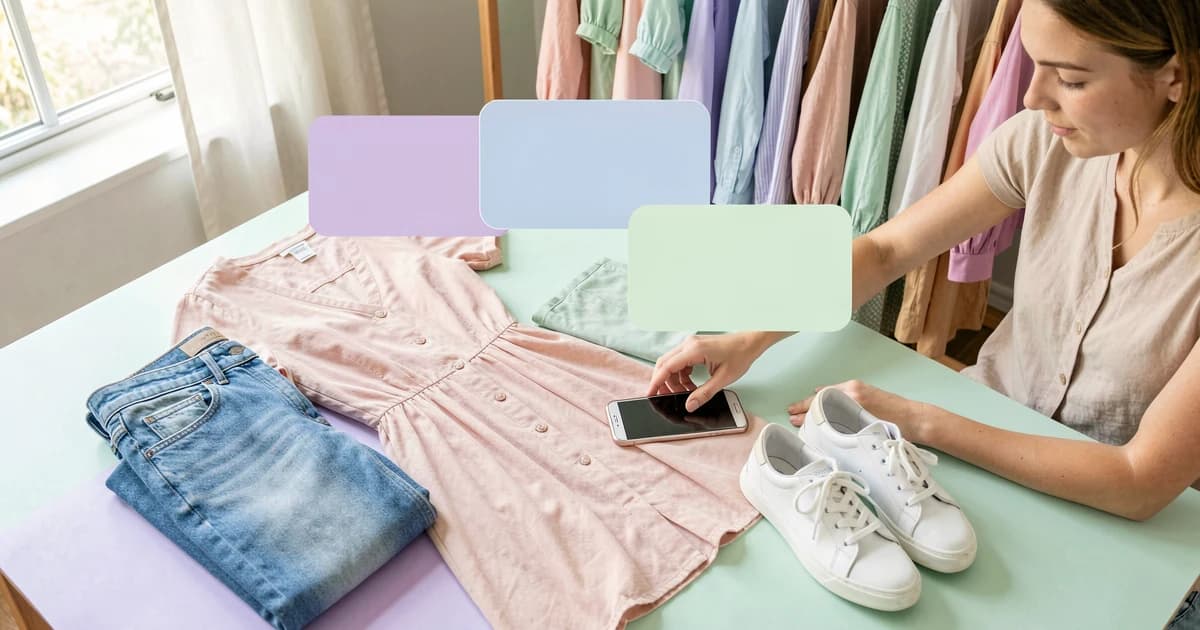
AI Prompts Vinted by Garment:
12 ready-to-copy AI prompts, one per category: dress, jeans, trainers, coat, bag, kids, vintage. For ChatGPT, Gemini or Claude.
Read the article
15 ChatGPT Prompts for Vinted:
ChatGPT prompts to sell on Vinted: optimised descriptions, SEO titles, negotiations, and AI image prompts. Copy, paste and adapt.
Read the article
Generate a Clothing Photo with AI:
Generate a clothing photo with AI using ChatGPT, Gemini or Midjourney: the prompts that work, why fidelity breaks, and the no-prompt method that actually does.
Read the article⚖️ Legal Information & Transparency
Independence: VendyStudio is an independent service. We are not affiliated with Vinted, Beebs, Depop or any other resale platform mentioned in this article.
Responsibility: Always check your platform's terms and conditions before publishing. You are responsible for the content you publish.
Moderation: Platform moderation systems are opaque and may change. VendyStudio cannot guarantee that your photos will be accepted by moderators.
An assistant writes your listing. None photograph it.
3 worn photos free to try 🤖
The AI photo studio starts from your flat lay and generates the worn version — faithful to your garment, no prompt to write. For your Vinted, Poshmark, Depop, Mercari and Adverts.ie listings.