

Poshmark photos in 3:4: how to shoot listings for the portrait layout
Since its March 2026 redesign, Poshmark's app presents listings in a taller 3:4 portrait frame. Here is what the platform has actually said, the framing that holds up in the new layout, and a sensible order for updating the closet you already have.
We build AI tools to optimise your clothing photos for online resale.
In this guide
What changed, in one paragraph
On 25 March 2026, Poshmark released a redesigned app, and with it a new way of showing listings: taller, portrait-style images in a 3:4 ratio. If your closet was photographed square, the frame your buyers now see is a different shape from the photos you took.
That is the whole change, and it is a practical one. Nothing here is about tricks or hidden rules. It is about geometry: a photo shot for a square will not fill a portrait frame in the same way, and a photo shot for a portrait frame will. Once you know where the edges fall, the fix is a habit you build into your next shoot, not a weekend of redoing everything.
This guide sticks to what Poshmark has published itself, says clearly where it has not published something, and turns the rest into a routine you can use from your next listing.
3:4
portrait layout
Poshmark press release, 25 March 2026
16
photos max
plus 1 video, per Poshmark's own guides
4+
photos recommended
front, back, details, label, wear (Poshmark, Sept. 2026)
What Poshmark has actually published
Three Poshmark sources matter here, in order.
January 2026: a test is announced. In a seller update reported by Value Added Resource on 18 January 2026, Poshmark said it would be “testing portrait (tall, vertical) images in search results”, and that “if a broader change to photo orientation is planned, additional details and lead time will be shared.”
25 March 2026: the redesign. Poshmark's press release (PR Newswire, Redwood City) lists “clearer, larger, 3:4 portrait imagery that gives listings greater presence” among the changes, alongside a For You page for shoppers, guided discovery, and a centralised Seller Tools area. Poshmark's own blog post that day, A New Poshmark Experience, puts it in plainer words: “Larger, portrait-style images showcase listings more clearly and help items stand out.”
Since then: the photo advice. Poshmark's Listing Photography Guide (first published in 2020, last modified April 2026), its September 2026 guide Start Selling on Poshmark and its October 2026 Holiday Listing Guide all give advice on what to photograph. We come back to them below.
What we did not find
We looked for a Poshmark help page giving a pixel size, a required ratio for uploads, or a description of how older square photos are fitted into the new frame. We did not find one. So this article does not give you a “Poshmark pixel requirement”: there is no published one to quote. What is published is the 3:4 portrait presentation, and that is enough to plan around.
Trade coverage at the time, including Value Added Resource, reported sellers saying some existing images appeared cropped in the new layout, and some asking whether to keep shooting square for cross-listing. Those are seller reports, not a platform specification, which is why the advice below starts with checking your own listings in the app.
Square photo, portrait frame: the geometry
A 3:4 frame is three units wide for every four tall. A square is four by four. Put a square photo into a 3:4 frame and only two things can happen:
- It fills the height, and a quarter of its width falls outside the frame: one eighth on the left, one eighth on the right.
- It fills the width, and the frame has empty space above and below it.
That is arithmetic, not a description of Poshmark's code; the platform does not publish which option it uses in each view. But it tells you exactly which parts of an old square photo are at risk: the outer eighth on each side. If your square photos have the garment centred with room around it, they lose nothing that matters. If the sleeves touch the edges, or the measuring tape sits on the right-hand side, that is what you will want to check.
The reverse is the useful part. A photo shot in 3:4 portrait contains a full square in its middle. Shoot portrait and you can always make a square from it later. Shoot square and you can never get the portrait back.
- Square shot with the garment touching the left and right edges
- Measuring tape or size tag placed at the side of the frame
- Busy bedspread or room background behind the item
- Landscape photo of a full-length dress
- Text or measurements written near the edges of the image
- Shot upright in 3:4, garment centred top to bottom
- Clear space on the left and right of the item
- Tags and flaws photographed close up, in their own frames
- Plain white or light neutral background
- Cover photo checked in the app before listing
Need clean portrait photos
without a photo corner? 📐
Vendy Studio, our AI photo tool, turns a phone photo of your own item into a clean 3:4 listing image. 3 free trial credits (watermarked images), no card needed.
Photos made with the free credits carry a watermark.
How to shoot for 3:4
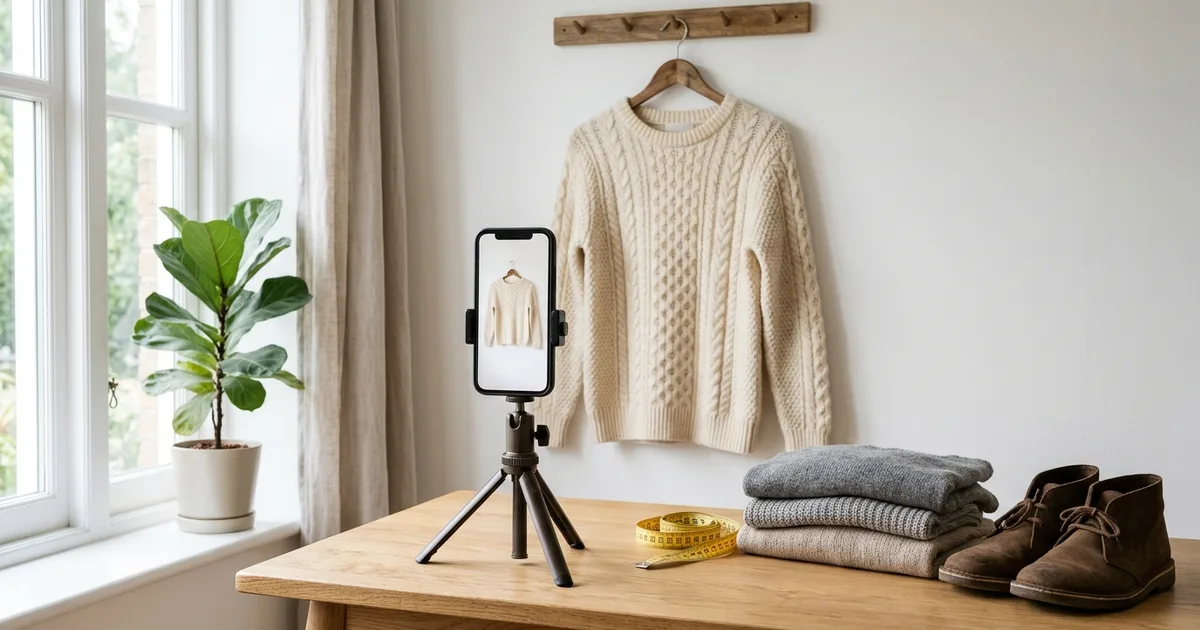
You do not need new equipment. You need the frame set before you press the shutter.
1. Set the ratio in the camera, not afterwards
Most phone cameras offer a 4:3 photo setting. Held upright, a 4:3 photo is a 3:4 portrait: exactly the shape of Poshmark's new frame. Check your camera's format setting before a session, because a phone left on square or 16:9 from another app will quietly undo the plan.
2. Centre the garment and leave air on the sides
Fit the whole item from top to bottom, then leave clear background on the left and right. That margin is your insurance: it is what gets trimmed if the image is ever shown in a tighter frame, and it is what lets you cut a square for other platforms without losing a sleeve.
3. Keep information out of the edges
The parts of a listing photo that carry information are the label, the size tag, a flaw, a measurement. Give each of them its own close-up photo, centred, instead of placing them at the side of a wide shot. Measurements also belong in the written description, where Poshmark's own guides ask you to put them, so they are never only in a picture.
4. Plain background, soft light
Poshmark's photography guide recommends keeping the Covershot product-focused with “a white or simple background” and suggests “a plain white sheet” or white posterboard, with natural light from your home, or a ring light if there is not enough. A plain background has a second advantage in a portrait layout: if a sliver of the edge is ever lost, nothing of value goes with it.
5. Preview before you list
Before publishing, look at the cover photo in the Poshmark app, on a phone, the way buyers will. If the hem, the shoulders or the neckline sits right at an edge, adjust the crop or reshoot. A quick check here can catch a cover that looks unfinished in the feed.
What to show, in Poshmark's own words
The format changed; the content of a good listing did not. Here is what Poshmark itself recommends, quoted from its own guides:
- How many: “Take at least four clear photos.” (Start Selling on Poshmark, September 2026). The maximum is 16: “The maximum number of photos you can upload is 16” (Guide to Poshmark), and the photography guide adds that you can include 1 video.
- What: “Show the front, back, details, label, and any signs of wear.” The holiday guide adds the side and “all material tags”.
- How: “Use natural light and a simple background.”
- Style: flat-lay, mannequin, hanging or modelled are all mentioned in the photography guide, with the advice to stay consistent so your closet looks cohesive.
In 3:4 terms, that set translates naturally: a cover shot of the full garment, centred; a back view in the same frame; then close-ups of the label, the material tag, the fabric and any wear, each one filling its own portrait frame.
Poshmark's Smart List feature can draft listing details from your photos. Poshmark's own guide says it “can help draft listing details from your photos” and asks you to “review and edit every field before publishing”. Clear, well-lit photos of the tag and the item give it better material to work from, and the review step stays yours.
One shoot for Poshmark, Depop and Mercari
Plenty of US sellers list the same item on more than one marketplace. The 3:4 change does not force two separate shoots if you plan the frame once.
- Shoot 3:4 portrait, garment centred, clear margins left and right.
- Upload that file to Poshmark as it is.
- Crop a centred square from the same file for platforms whose feeds display square thumbnails.
Because the square sits inside the portrait, nothing is lost in either direction. Each platform publishes its own photo limits and display formats, and they change; we keep a side-by-side of fees, shipping and photo formats in Vinted vs Poshmark vs Depop vs Mercari. Check the current limit in each app before you rely on any table, ours included.
Your existing closet: what to reshoot first
We found no Poshmark request asking sellers to replace their existing photos, and a closet of several hundred listings is not a weekend job. A proportionate order:
- Look before you redo. Scroll your own closet in the app. Many square photos with a centred garment will look fine.
- Fix what is cut. Reshoot or re-crop listings where something a buyer needs is missing from the cover: the hem of a dress, the toe of a boot, the brand label, a measurement shown on screen.
- Prioritise by value and season. Start with higher-priced pieces and what is in demand now. Poshmark's October 2026 holiday guide names dresses and skirts, outerwear, sweaters, boots and cold-weather accessories among its trending categories.
- Change the cover first. On most listings, a new first photo does most of the work. The detail shots can wait until the next time you touch the listing.
- Keep the photos honest. A reshoot is a chance to show wear more clearly, not less. A cover that flatters the item more than the item deserves invites a "not as described" case. Show the item as it is.
The holiday window
Poshmark's 2026 Holiday Listing Guide, published on 21 October 2026, gives sellers two dates:
- it suggested having holiday inventory listed by 31 October, so shoppers find it as the season starts;
- it gives Thursday, 17 December as the USPS Ground Advantage shipping deadline.
If you missed the first date, the second is the one that still shapes the season. The same guide asks sellers to “refresh photos” to show details and signs of wear, and to use accurate keywords like “holiday party” or “winter wardrobe” in titles and descriptions. Combined with the 3:4 layout, that makes now a sensible moment to redo the covers of your seasonal pieces first.
If your sales grow over the season, the tax side is its own subject: our 1099-K guide for US sellers covers the reporting threshold that applies.
The 3:4 checklist
Before you list on Poshmark
Where an AI photo tool fits, and where it does not
If setting up a plain background and good light for every item is the part that slows you down, an AI photo tool can produce a clean portrait image from a phone photo of the item. Vendy Studio, our own product, generates its listing images in a 3:4 portrait ratio, the same shape as Poshmark's new frame.
Two limits apply to any such tool, ours included. The image must still show your actual item, with its real colour, condition and flaws. And Poshmark has not published a rule specific to AI images: its Community Guidelines ask members not to “impersonate or mislead others”. We lay out what each US platform has and has not published on this in AI photos for reselling: what each platform's rules say. Keep your own close-ups of the tag and of any wear alongside any edited cover.
FAQ: Poshmark Photo Format
Sources and method
All consulted on 3 November 2026. We quote Poshmark's own pages wherever they exist, and label trade press and seller reports as such.
- Poshmark — press release, 25 March 2026 (PR Newswire, republished): “3:4 portrait imagery”, For You page, Seller Tools
- Poshmark Blog — A New Poshmark Experience (25 March 2026): “Larger, portrait-style images”
- Poshmark Blog — The Poshmark Listing Photography Guide (2020, modified April 2026): Covershot background, light, up to 16 photos and 1 video
- Poshmark Blog — Start Selling on Poshmark (2 September 2026): at least four photos, what to show, Smart List AI
- Poshmark Blog — 2026 Holiday Listing Guide (21 October 2026): 31 October listing date, 17 December USPS Ground Advantage deadline, trending categories
- Poshmark — Guide to Poshmark: how to list an item: maximum of 16 photos
- Poshmark — Community Guidelines
- Value Added Resource — Poshmark updates, January 2026 (18 January 2026), quoting Poshmark's seller update on the portrait test, and Poshmark Reimagines App (25 March 2026, updated 10 April 2026)
Written by the Vendy Studio team on 3 November 2026 from Poshmark's own pages and the trade press listed above. No internal data, testimonials or statistics were used. This guide does not guarantee any result. The crop proportions in the geometry section are calculated from the two ratios (a square shown at full height in a 3:4 frame loses one quarter of its width); they describe the shapes, not Poshmark's display code, which Poshmark does not publish. The 3:4 output ratio of Vendy Studio is a product setting of our own tool. Platform features change without notice: check the Poshmark app before relying on anything here.
FAQ: Poshmark Photo Format
Further Reading
Where to Sell Clothes Online in the US:
Seller fees, buyer fees, shipping and audience compared on a $40 item, with every figure taken from each platform's own fee page in July 2026.
Read the article
AI Photos for Reselling:
Poshmark, Depop, Mercari, eBay and Vinted US: what each platform publishes about listing photos, and where each one is silent on AI. The grey area, mapped honestly.
Read the article
The 1099-K for US Sellers:
The $600 threshold was repealed before it ever applied. What the IRS requires now, why a 1099-K is not a tax bill, and when reselling becomes a business.
Read the article
The First Vinted Photo
In July the feed is flooded. Your first Vinted photo gets one second to stop the scroll. Here's what makes people click — and the thumbnail mistake to avoid.
Read the articleLegal Notice & Transparency
Independence: VendyStudio is an independent service. We are not affiliated with Vinted, Beebs, Depop or any other resale platform mentioned in this article.
Responsibility: Always check your platform's terms and conditions before publishing. You are responsible for the content you publish.
Moderation: Platform moderation systems are opaque and may change. VendyStudio cannot guarantee that your photos will be accepted by moderators.
This article is general information for people selling clothing on Poshmark in the United States. Vendy Studio is our own product: an independent AI photo tool with no connection to Poshmark, Depop, Mercari or any other platform mentioned. Platform features and guidance quoted here were consulted on 3 November 2026 and change without notice. Check the current version in the Poshmark app and on Poshmark's own pages before relying on it. No photo format or tool can guarantee a sale; results vary. You remain responsible for the photos you publish and for describing your item accurately.
Clean 3:4 photos of your real item,
without rebuilding a photo corner.
Vendy Studio is our own AI photo tool. It turns a phone photo of your garment into a 3:4 portrait image for your listings on Poshmark, Depop, Mercari and other platforms. 3 free trial credits on sign-up, no card needed (trial images carry a Vendy Studio watermark; images made with purchased credits do not). You remain responsible for the photos you publish: the buyer should receive exactly what the photo shows.
Photos made with the free credits carry a watermark.